
 All vikis
ChatGPT Desktop App Deep Links
The link that opens a new chat in the ChatGPT desktop app with your prompt already typed is codex://new?prompt= followed by the prompt, URL-encoded. The app keeps the old codex:// scheme; add path= to open the chat in a folder. Every supported link, with worked examples, read in OpenAI's docs on Nov 17, 2026.
The link that opens a new chat in the ChatGPT desktop app with a prompt already in the message box is codex://new?prompt=<your prompt, URL-encoded>, for example codex://new?prompt=Run%20the%20tests%20and%20fix%20the%20first%20failure (Commands, OpenAI docs, read Nov 17, 2026). The app kept the codex:// scheme of the old Codex app "for compatibility", so the same links open Chat, Work and Codex in the one app. The link fills the box and stops there: OpenAI's page says it "doesn't send the prompt automatically", so nothing runs until the person who clicked presses Enter.
Next: the keys that copy a chat's own link and open the command menu, what a plugin link installs and which plugins exist or what the Codex side of the app can do once the chat opens.
Build a prompt link in three steps
- Write the prompt as you would type it:
Run the tests and fix the first failure. - Encode it as a URI component, so spaces become
%20, slashes%2Fand so on. In a browser console,encodeURIComponent("Run the tests and fix the first failure")does it; OpenAI's page names the same function. - Put it after
codex://new?prompt=and use it as the target of a link in a README, a wiki page, an issue or a chat message.
A link from codex://new must carry at least one of prompt, path or originUrl; OpenAI's page says that "otherwise the link does nothing". Use codex://threads/new for an empty new chat.
Open the chat in a folder
Two more query parameters choose where a Codex chat works. They combine with prompt in one link:
| Parameter | Value | What it does |
|---|---|---|
prompt= |
Encoded text | Puts the text in the message box |
path= |
Encoded absolute path to a local folder | Opens the chat with that folder as the workspace |
originUrl= |
Encoded Git remote URL | Picks the open workspace whose Git remote matches; path wins if both are given |
Worked example, ours, for a project at /Users/alex/code/shop on a Mac:
codex://new?prompt=Run%20the%20tests%20and%20fix%20the%20first%20failure&path=%2FUsers%2Falex%2Fcode%2Fshop
On Windows the same folder at C:\Users\alex\code\shop encodes as C%3A%5CUsers%5Calex%5Ccode%5Cshop. For a link that works for everyone on a team, whatever folder they cloned into, use the remote instead: originUrl=https%3A%2F%2Fgithub.com%2Falex%2Fshop.git matches the open workspace whose remote is that repository.
Every supported link
| Link | Opens |
|---|---|
codex://threads/new |
A new local chat |
codex://new?<query> |
A new local chat with a prompt, path or remote |
codex://threads/<thread-id> |
An existing local chat, by its technical id |
codex://settings |
Settings |
codex://settings/browser-use |
Browser settings |
codex://settings/connections/ssh/add?name=<host> |
Adds a host from your ~/.ssh/config to the app |
codex://skills |
Skills |
codex://automations |
Scheduled, with the create form open (Scheduled Tasks) |
codex://plugins/install/<name>?marketplace=openai-curated |
The install flow for an OpenAI-curated plugin |
codex://plugins/<name>@openai-curated |
A plugin's detail page |
codex://pets/install?name=<name>&imageUrl=<https URL> |
The install flow for a pet |
Source: Commands, OpenAI docs, read Nov 17, 2026. An unknown codex://settings/... path opens the main Settings page, and a plugin link whose marketplace or plugin cannot be found opens the Plugins page instead. A pet link with a name that is only spaces, an image address that is not HTTPS, or any extra parameter does nothing.
A link that starts a chat with a plugin
To hand someone a ready request that uses a plugin, put the plugin mention inside the prompt before encoding it. OpenAI's example prompt is [@Example](plugin://example@openai-curated) Summarize this document: https://example.com/document/123, which encodes to a link that starts codex://new?prompt=%5B%40Example%5D(plugin%3A%2F%2Fexample%40openai-curated). If the reader has not installed the plugin, the app asks them to install it and connect any accounts it needs, then offers Continue in the same chat. A workspace admin's settings can still block the install.
Where these links work and where they do not
A codex:// link opens only on a computer with the desktop app installed, on macOS, Windows or Linux; a phone or a browser without the app does nothing with it. Some sites and chat apps refuse to make custom schemes clickable, so test the link where you will post it. For a chat you already have, the app's own Copy chat deep link shortcut, Ctrl+Alt+L on Windows and Linux or Cmd+Option+L on a Mac, copies its link for you (Commands). A link to a thread id opens a local chat, so it works on the machine that holds that chat.
We think the prompt link is the most useful of these for anyone who writes setup instructions: a README line such as "open this in ChatGPT" can carry the exact first request, the folder and nothing that runs by itself.
We think OpenAI's docs will list a chatgpt:// link scheme beside codex:// by Jun 30, 2027. Confidence: Possible. Check by: Jun 2027.
Why we think so: the desktop app has been ChatGPT, not Codex, since Jul 9, 2026 (ChatGPT Desktop App), and the docs read on Nov 17, 2026 say the old scheme is kept "for compatibility", a word that usually comes before a new name.
Sources
- Commands, OpenAI docs (learn.chatgpt.com): keyboard shortcuts and the Deep links section, read Nov 17, 2026
Related
-
 ChatGPT Not WorkingIf ChatGPT is not working, first check status.openai.com to see whether OpenAI reports an outage; if it shows "fully operational", reload, start a new chat, turn off your VPN and browser extensions, or try a private window. This page lists ChatGPT's common error messages and OpenAI's fixes, as of Nov 6, 2026.
-
-
 ChatGPT TipsChatGPT tips and lesser-known features as of Nov 6, 2026, each in a sentence or two with a link to its full page: long-press send to pick a model once, the Think button, locked chats, temporary chats, @ mentions, Search across chats, the Library, scheduled tasks and more.
-
-
 How to Cancel ChatGPT PlusTo cancel ChatGPT Plus bought on chatgpt.com, go to Settings > Billing and select Cancel under Cancel plan; if you subscribed in the iPhone app cancel through Apple, and on Android through Google Play. You keep Plus until the end of the period you paid for, and refunds are limited.
-
 How to Claim ChatGPT API CreditsTo claim the API credits included with ChatGPT Pro or Business, open Settings > Billing in ChatGPT, find the API credits benefit, pick the API organization you own and confirm. Pro gets $100, $200 or $500 a month and Business $20 or $100 per paid seat up to $500; Plus gets none. The steps, the conditions and what the credits buy, read Nov 13, 2026.
-
 How to Claim Your Business in ChatGPTTo claim your business in ChatGPT, open Business Hub in the sidebar on the web, find the listing and verify by business phone, business email, a DNS record or Shopify; OpenAI reviews the claim, and a second check through Persona unlocks editing, insights and the blue check. Read at OpenAI's Help Center on Nov 13, 2026, three days after Business Hub opened.
-
 How to Delete ChatGPT HistoryTo delete one ChatGPT chat, open its ••• menu and select Delete; to delete them all, go to Settings > Data controls > Delete all chats. Memories, files and your whole account are deleted separately, and OpenAI removes deleted chats from its systems within 30 days.
See also
-
-
 CodexCodex is OpenAI's coding agent: it reads a codebase, edits files, runs commands and tests, reviews pull requests and works in the cloud. As of Nov 6, 2026 it lives inside the ChatGPT desktop app, in the Codex CLI, in IDE extensions, in Codex Cloud and on mobile, and every ChatGPT plan includes some of it, Free and Go too.
-
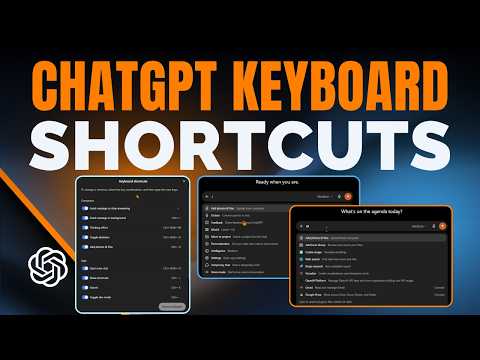 ChatGPT Keyboard ShortcutsIn the ChatGPT desktop app, Ctrl+/ (Cmd+/ on a Mac) shows every keyboard shortcut; Ctrl+N starts a new chat, Ctrl+Shift+N a temporary chat, and Ctrl+K opens the command menu. On chatgpt.com, Ctrl+K or Cmd+K opens Search. This page lists only the shortcuts OpenAI documents, as of Nov 6, 2026.
-
-
-