
 All vikis
How to Claim ChatGPT API Credits
To claim the API credits included with ChatGPT Pro or Business, open Settings > Billing in ChatGPT, find the API credits benefit, pick the API organization you own and confirm. Pro gets $100, $200 or $500 a month and Business $20 or $100 per paid seat up to $500; Plus gets none. The steps, the conditions and what the credits buy, read Nov 13, 2026.
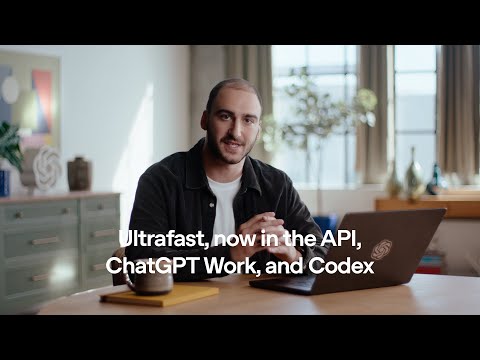
To claim the API credits that come with ChatGPT Pro or Business, open Settings > Billing in ChatGPT (on Business, the workspace's billing settings or the Admin Console), find the API credits benefit, choose the API organization you own and confirm; after that the credits arrive by themselves at every renewal (API credits for ChatGPT subscribers, OpenAI API docs, read Nov 13, 2026). The amounts are $100, $200 or $500 a month on the three Pro tiers and $20 per paid Standard seat or $100 per paid Premium seat on Business, capped at $500 a month for a workspace. Plus, Go and Free get nothing, and neither do Enterprise or Edu. The credits must be claimed once: nothing is granted to an eligible subscriber who never links an organization. In the clip, from OpenAI's Oct 28, 2026 launch video, the presenter gives the whole procedure in one breath: "just go to Billing in the ChatGPT app, and you can link your API organization."
Next: what each model costs per million tokens, the other kind of credit, which buys more ChatGPT and Codex use or the limits a credit balance does not lift.
Check these before you start
OpenAI's help article, read Nov 13, 2026, lists conditions that explain most failed claims:
- The paid subscription "must have been active for at least 7 days". Free trials and complimentary subscriptions do not count.
- You must be the owner on both sides: of the Pro subscription or Business workspace, and of the API organization that receives the credits. On Business, "Workspace membership or an admin role alone is not enough."
- The ChatGPT account and the API account must use the same email address.
- One subscription links to one API organization, and an organization can hold only one such link. Choose carefully, because changing it later means contacting support.
- If the benefit does not appear at all, the article adds that "Availability also depends on the enabled cohort and country."
You do not need an API payment method, and you do not need to have used the API before: a new user can link the Personal API Organization that belongs to the same email.
The two ways to claim
From ChatGPT
- Sign in to the account that owns the Pro subscription, or select the Business workspace as its owner.
- On Pro, open Settings > Billing. On Business, open the workspace's billing settings in ChatGPT or the Admin Console.
- Find the API credits benefit and start the claim.
- Review the API organization that will receive the credits; if you own several, pick one.
- Confirm.
From the API Platform
- Sign in at platform.openai.com with the email of the eligible subscription.
- Select the API organization you own that should receive the credits.
- Open Billing and find the API credits benefit.
- Select the subscription or Business workspace to link.
- Confirm.
Either way, the balance then shows in the API Platform's billing settings, under Credit grants. OpenAI is careful to say that "Linking and credit issuance are separate results": if the accounts are linked and no grant shows, that is a support case, not a reason to claim again.
What the credits buy
OpenAI states the credits in dollars. To make that concrete we priced one ordinary request, 3,000 input tokens and 1,000 output tokens, at the standard short-context rates on the API pricing page on Nov 13, 2026, and divided. The request size and the division are ours:
| Model | Cost of that request | $20 (one Standard seat) | $100 (Pro 100) | $200 (Pro 200) | $500 (Pro 500, or the Business cap) |
|---|---|---|---|---|---|
| GPT-6 Astra ($10 / $50 per 1M) | $0.08 | 250 requests | 1,250 | 2,500 | 6,250 |
| GPT-6.1 Sol ($2 / $10) | $0.016 | 1,250 | 6,250 | 12,500 | 31,250 |
| GPT-6.1 Terra ($1 / $5) | $0.008 | 2,500 | 12,500 | 25,000 | 62,500 |
| GPT-6 Luna ($0.10 / $0.50) | $0.0008 | 25,000 | 125,000 | 250,000 | 625,000 |
| GPT-Live-1 voice ($0.05 a minute) | 6 h 40 min | 33 h 20 min | 66 h 40 min | 166 h 40 min |
The voice row counts the session minutes only; OpenAI bills the model and tool usage behind a GPT-Live call separately. On every Pro tier the credit equals the price of the plan: $100 of API credit on the $100 plan, $200 on the $200 plan, $500 on the $500 plan. We think that makes Pro 100 the first ChatGPT plan a developer can treat as free if they would have spent that much on the API anyway, with the condition that the credit is gone at the end of each billing cycle whether used or not.
The Hype Kevin, who has both plans, found the ChatGPT benefit under Settings > Billing, "Monthly subscription benefit", and explains where the line falls: the coding agent you type into stays on your plan, while the credit is for your own code calling the model, so Codex with an API key is out and the Agents API is in. The credits cover "paid API Platform usage billed to the linked organization": Responses and Chat Completions, the Agents API including hosted sandbox charges, the Decisions API, GPT-Live and the Realtime API, the Images API, and built-in tools such as web search, file search and Code Interpreter. Two things they do not do, in OpenAI's words: "Codex usage through API keys is not supported by this benefit", and the credits "don't increase your ChatGPT or signed-in Codex usage limits."
Why the first grant is smaller
"Your first grant is prorated for the time left in your current subscription billing cycle and expires at the end of that billing cycle." OpenAI gives no formula. If the proration is by days, which is how we read "time left", claiming a Pro 200 grant with 10 days left in a 30-day cycle would give about $67, and the full $200 would follow at the next renewal. The amount is shown in ChatGPT billing before you confirm, and OpenAI's advice is to review it there.
The Business cap, worked out
A Business workspace's monthly allowance is "the smaller of ($20 × paid Standard seats + $100 × paid Premium seats) and $500". OpenAI's two examples: 5 Standard and 3 Premium seats give $400, and 10 Standard with 4 Premium would be $600, so the workspace gets $500. From the same formula, the cap is reached at 25 Standard seats or at 5 Premium seats; every seat beyond that adds no API credit. A workspace that pays annually up front receives the year's grant at once, up to $6,000, and it expires when the annual cycle ends.
When the credits run out or the plan changes
Free credits are spent before any credits you bought. With purchased credits left, requests carry on; with none, they fail with HTTP 429 and the error code credit_balance_exhausted, until you add paid credits or switch on Auto Recharge. A credit balance also does not lift rate limits, which follow the organization's usage tier (API Rate Limits).
| Change | What happens to the credits |
|---|---|
| You cancel | No new grants; credits already issued stay usable until the cycle ends |
| You downgrade to Plus, Go or Free | The organization link is removed at the end of the billing cycle |
| You upgrade Pro, or add or upgrade Business seats | Extra prorated credits for the rest of the cycle, within the cap |
| You move from Pro to Business | The Pro link ends; the workspace can link after its paid subscription is 7 days old |
| The Business owner who linked leaves the workspace | The link is removed and neither side can relink until the cycle ends |
| You get a full refund | The unused credits tied to that charge are removed |
What we think
We think ChatGPT Plus still comes with no API credits on Jun 30, 2027.
Confidence: Likely. Check by: Jun 2027.
Why we think so: OpenAI set every Pro credit equal to that tier's price and tied Business credits to paid seats, which reads as a reward for its highest-paying subscribers, and its own footnote on chatgpt.com/pricing says the benefit "is subject to change or discontinuation". A $20 credit on a $20 plan would hand the whole price back. What would prove us wrong: Plus listed with an API credit of any size on OpenAI's API credits guide by Jun 30, 2027.
Sources
- API credits for ChatGPT subscribers, OpenAI API docs, read Nov 13, 2026
- API credits benefit for eligible ChatGPT subscriptions, OpenAI Help Center, read Nov 13, 2026
- Pricing, OpenAI API docs, read Nov 13, 2026
- ChatGPT pricing, OpenAI, read Nov 13, 2026
- API credits, now in ChatGPT Pro and Business plans, OpenAI, Oct 28, 2026 (video)
- Your Claude or ChatGPT Plan Has Free API Credits You're Not Using, The Hype Kevin, Oct 30, 2026 (video)
Moments
API credits, now in ChatGPT Pro and Business plans
OpenAI
Your Claude or ChatGPT Plan Has Free API Credits You're Not Using
The Hype Kevin
Related
-
-
 ChatGPT TipsChatGPT tips and lesser-known features as of Nov 6, 2026, each in a sentence or two with a link to its full page: long-press send to pick a model once, the Think button, locked chats, temporary chats, @ mentions, Search across chats, the Library, scheduled tasks and more.
-
-
 How to Cancel ChatGPT PlusTo cancel ChatGPT Plus bought on chatgpt.com, go to Settings > Billing and select Cancel under Cancel plan; if you subscribed in the iPhone app cancel through Apple, and on Android through Google Play. You keep Plus until the end of the period you paid for, and refunds are limited.
-
 How to Claim Your Business in ChatGPTTo claim your business in ChatGPT, open Business Hub in the sidebar on the web, find the listing and verify by business phone, business email, a DNS record or Shopify; OpenAI reviews the claim, and a second check through Persona unlocks editing, insights and the blue check. Read at OpenAI's Help Center on Nov 13, 2026, three days after Business Hub opened.
-
 How to Delete ChatGPT HistoryTo delete one ChatGPT chat, open its ••• menu and select Delete; to delete them all, go to Settings > Data controls > Delete all chats. Memories, files and your whole account are deleted separately, and OpenAI removes deleted chats from its systems within 30 days.
-
 How to Export ChatGPT DataTo download your ChatGPT conversations, go to Settings > Data controls > Export data > Export > Confirm export; OpenAI emails a ZIP file of your chat history within up to 7 days, and the download link expires 24 hours later. Self-service export works on Free, Go, Plus and Pro, not on Business or Enterprise.
-
 How to Install Codex CLITo install OpenAI's Codex CLI, run curl -fsSL https://chatgpt.com/codex/install.sh | sh on macOS or Linux, or the PowerShell installer on Windows (npm install -g @openai/codex and brew install --cask codex also work), then run codex in a project folder and sign in with ChatGPT. Steps for every system, WSL, updating, removing and fixing common problems, as of Nov 6, 2026.
See also
-
 OpenAI API PricingOpenAI API prices are per 1M tokens: GPT-6 Astra costs $10 input and $50 output, GPT-6.1 Sol $2 and $10, GPT-6.1 Terra $1 and $5, and GPT-6 Luna $0.10 and $0.50, as of Nov 6, 2026. Batch and Flex halve those prices, Fast doubles them.
-
 ChatGPT CreditsChatGPT credits buy more Codex, ChatGPT Work and Office extension use after a plan's included usage runs out; as of Nov 6, 2026 they are charged per million tokens by model, last 12 months, and are separate from the API credits that come with Pro and Business.
-
 API Rate LimitsOpenAI API rate limits depend on your usage tier (Free, Build, Launch or Grow), which rises automatically as total credit purchases reach $5, $100 and $500. On the Build tier GPT-6 Astra allows 5,000 requests and 1,000,000 tokens a minute, and going over returns HTTP 429.
-
-
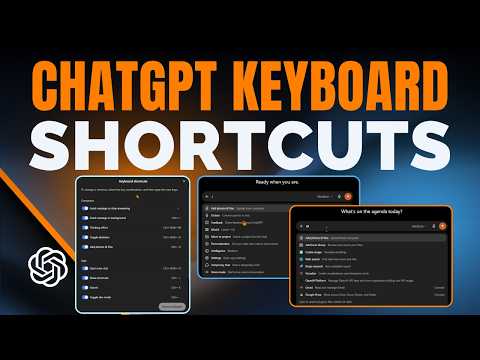 ChatGPT Keyboard ShortcutsIn the ChatGPT desktop app, Ctrl+/ (Cmd+/ on a Mac) shows every keyboard shortcut; Ctrl+N starts a new chat, Ctrl+Shift+N a temporary chat, and Ctrl+K opens the command menu. On chatgpt.com, Ctrl+K or Cmd+K opens Search. This page lists only the shortcuts OpenAI documents, as of Nov 6, 2026.
-
 ChatGPT Not WorkingIf ChatGPT is not working, first check status.openai.com to see whether OpenAI reports an outage; if it shows "fully operational", reload, start a new chat, turn off your VPN and browser extensions, or try a private window. This page lists ChatGPT's common error messages and OpenAI's fixes, as of Nov 6, 2026.