
 All vikis
 007 First Light
 AI
 Aion 2
 Ananta
 ARC Raiders
 ArcheAge Chronicles
 Call of Duty: Modern Warfare 4
 Chrono Odyssey
 Civilization 3
 Civilization 4
 Claude
 Crimson Desert
 Deadlock
 Diablo 4
 Diablo 5
 Enshrouded
 Fable
 Final Fantasy Resonance
 Football Manager 27
 Forza Horizon 6
 God of War
 Grand Theft Auto 6
 Heroes of Might and Magic 3
Codex CLI
Codex CLI is OpenAI's open-source coding agent for the terminal: install it with one command, run codex in a project folder, sign in with ChatGPT or an API key, and it reads, edits and runs your code inside a sandbox. This page covers its commands, models, approval modes, config.toml, codex exec, resume and MCP as of Nov 6, 2026.
Codex CLI is OpenAI's coding agent for the terminal: install it with curl -fsSL https://chatgpt.com/codex/install.sh | sh on macOS or Linux (or the PowerShell installer on Windows, npm, or Homebrew), type codex in a project folder, and sign in with your ChatGPT account (Codex CLI docs). It inspects your repository, edits files and runs the tools already installed on your machine, inside a sandbox that limits what its commands can touch. It is open source (github.com/openai/codex), first released on Apr 16, 2025 (OpenAI), and the latest version in OpenAI's changelog is 0.166.0, from Oct 29, 2026.
The CLI is one of the ways to use Codex; it shares its config.toml, MCP servers and usage with the Codex App and the Codex IDE Extension. Step-by-step installation for every system, with troubleshooting, is on How to Install Codex CLI.
Quick facts
| Install (macOS, Linux) | curl -fsSL https://chatgpt.com/codex/install.sh | sh (docs) |
| Install (Windows) | powershell -ExecutionPolicy ByPass -c "irm https://chatgpt.com/codex/install.ps1 | iex" |
| Other installs | npm install -g @openai/codex, brew install --cask codex |
| Sign in | ChatGPT account, or an API key |
| Default model | GPT-6.1 Sol (gpt-6.1-sol), as of Nov 6, 2026 |
| Latest version | 0.166.0, Oct 29, 2026 |
| Config file | ~/.codex/config.toml (Config basics) |
| License | Open source on GitHub |
| Cost | Included with every ChatGPT plan, or API prices with a key |
How do I install and start Codex CLI?
- Install it with one of the four methods in Quick facts. The standalone installers update themselves when you run the same command again; with Homebrew, update with
brew upgrade --cask codex(docs). - Open a project folder in a terminal and run
codex. - The first time, choose Sign in with ChatGPT (a browser window opens) or another sign-in method.
- Describe a task, for example "Tell me about this project".
OpenAI suggests making a Git checkpoint before and after each task so you can undo the changes (docs). On a remote or headless machine, codex login --device-auth signs in with a one-time code instead of a browser callback (Authentication).
Codex CLI commands
| Command | What it does |
|---|---|
codex |
Starts an interactive session in the current folder |
codex exec "task" (or codex e) |
Runs a task without the interactive screen, for scripts and CI; see Codex SDK |
codex resume |
Reopens a recent chat from this repository, or searches older ones |
codex fork |
Copies a saved chat into a new one |
codex review |
Reviews uncommitted changes, a base branch or a commit, without the interactive screen |
codex cloud |
Lists, submits and applies Codex Cloud tasks from the terminal |
codex mcp |
Adds and manages MCP servers |
codex login, codex logout |
Signs in with ChatGPT, an API key or an access token; signs out |
codex doctor |
Writes a diagnostic report on installation, config, sign-in and Git |
codex update |
Checks for and applies an update where the release supports it |
codex app-server |
Runs the App Server that rich clients use |
codex completion |
Prints shell completions |
codex sandbox |
Runs a command in the Codex sandbox (macOS Seatbelt, Linux, Windows) |
Source: Developer commands, OpenAI docs, read Nov 6, 2026. Useful flags: --model or -m to pick a model, --image to attach an image, --search for live web search, --cd to start in another folder and --add-dir to make one more folder writable (Codex CLI docs).
Slash commands
Inside a session, commands that start with / control Codex. The ones most people use:
/modelswitches model or reasoning effort;/statusshows the session and the limits left;/usageshows account usage./permissionschanges when Codex may edit files or run commands without asking./initwrites an AGENTS.md scaffold for the project;/reviewreviews your working tree;/diffshows the changes./planswitches to planning;/goalsets a long-running goal (see Codex App)./compactshrinks a long chat's context;/new,/resume,/forkand/renamemanage chats./mcplists connected MCP tools;/skills,/pluginsand/appsbrowse extensions;/importbrings in a Claude Code or Cursor setup./fasttoggles Fast mode where the model offers it;/voicelets you talk to Codex./appcontinues the chat in the desktop app;/quitor/exitleaves.
Source: Developer commands, read Nov 6, 2026. Typing @ searches for a file to mention, a line starting with ! runs a shell command, Tab queues a follow-up while Codex works, Enter adds instructions to the turn in progress, and pressing Escape twice edits your last message and forks from there.
Models in the CLI
Pick a model with codex --model gpt-6.1-sol, codex -m gpt-6.1-terra, or /model during a session; the same flag works with codex exec. As of Nov 6, 2026 the recommended models are GPT-6 Astra, GPT-6.1 Sol (the default in config.toml), GPT-6.1 Terra and GPT-6 Luna. GPT-6.1 Terra needs CLI 0.159.0 or later and GPT-6 Astra needs 0.153.0 or newer. Reasoning effort runs from Low (Light elsewhere) to Extra High, plus Max and Ultra, which uses subagents (Models). More on Codex Models.
Approval modes and the sandbox
Two settings decide how free Codex is. The sandbox limits what its commands can read, write and reach on the network; the approval policy decides when it must ask you first. The default, the Auto preset, is --sandbox workspace-write --ask-for-approval on-request: Codex edits and runs commands inside the project, with the network off, and asks before going outside it (Agent approvals and security).
| Preset | Flags | Effect |
|---|---|---|
| Auto (default) | --sandbox workspace-write --ask-for-approval on-request |
Works in the project; asks to go outside it or use the network |
| Safe read-only | --sandbox read-only --ask-for-approval on-request |
Reads only; asks for anything else |
| Read-only CI | --sandbox read-only --ask-for-approval never |
Reads only and never asks |
| Auto-review | -c approvals_reviewer=auto_review |
Sends approval requests to an automatic reviewer |
| Dangerous full access | --dangerously-bypass-approvals-and-sandbox (alias --yolo) |
No sandbox and no approvals; OpenAI says "not recommended" |
Source: Agent approvals and security, read Nov 6, 2026.
The sandbox is enforced by the operating system: Seatbelt on macOS, bubblewrap on Linux and WSL2, and a Windows sandbox (MXC where available) in PowerShell, and it covers every command Codex spawns, not only its own file edits (Sandboxing). Even in workspace-write, the .git, .codex, .agents and .aws folders stay read-only. Auto-review makes extra model calls, which count toward usage (Agent approvals and security).
config.toml
Codex reads ~/.codex/config.toml, and a trusted project can override it with its own .codex/config.toml. Command-line flags win over everything, then the project file, then profiles (--profile name), then your user file, then workspace defaults, the system file (/etc/codex/config.toml) and built-in defaults. A minimal file:
model = "gpt-6.1-sol"
approval_policy = "on-request"
sandbox_mode = "workspace-write"
Administrators can enforce a requirements.toml, for example to forbid approval_policy = "never" or full access (Config basics). approval_policy = "untrusted" is no longer supported; mark a project untrusted with trust_level = "untrusted" instead (Agent approvals and security).
codex exec and resume
codex exec "task" runs Codex without the interactive screen: progress goes to stderr and only the final message to stdout, so you can pipe it (codex exec "generate release notes for the last 10 commits" | tee release-notes.md). It starts in a read-only sandbox; add --sandbox workspace-write to let it edit. --json streams every event as JSON Lines, -o writes the final message to a file, and --output-schema asks for an answer in a JSON Schema. --full-auto is no longer supported (Non-interactive mode). codex exec resume --last continues the most recent run in the folder (Developer commands). The CI uses are on Codex SDK.
codex resume reopens a saved interactive chat from the current repository or searches across all of them, and codex fork copies one so you can try another approach (Codex CLI docs).
MCP servers
Codex connects to Model Context Protocol servers, local (STDIO) or remote (Streamable HTTP with a bearer token or OAuth), and the desktop app, CLI and IDE extension share the same list. Add one with codex mcp add context7 -- npx -y @upstash/context7-mcp or codex mcp add example --url https://mcp.example.com; entries live under [mcp_servers.<name>] in config.toml (MCP). Among its tips for making usage limits last, OpenAI lists limiting the number of MCP servers you use (pricing). The old codex mcp-server command, which ran Codex itself as an MCP server, was removed on Sep 5, 2026; use the App Server instead (changelog, Codex SDK).
What testers found
In an Aug 27, 2026 video comparing the Codex CLI with Claude Code's CLI, Tim Ruscica of Tech With Tim asked each to split a 5,000-line Python file without breaking anything. Six of the seven models he tried finished the job; the OpenAI models took "significantly less time", GPT-5.6 Sol was the fastest of all, and Claude Opus 5 took 36 minutes, almost five times longer, because it also built a tool to prove nothing had broken.
Asked to explain an unfamiliar codebase, Opus 5 took over five times as long as the other models and wrote 635 lines of analysis, while he found Codex "a little bit more to the point", giving what was asked. One tester's run, with the GPT-5.6 models of the time.
Frequently asked questions
Is Codex CLI free? Codex CLI is free and open source, and it is included with every ChatGPT plan, including Free and Go, though free use is limited. You can also run it with an OpenAI API key and pay API prices per token.
How do I change the model in Codex CLI? Run codex -m gpt-6.1-sol (or another model name) when you start, or type /model during a session. To change the default, set model in ~/.codex/config.toml.
What does --yolo do in Codex CLI? --yolo is an alias for --dangerously-bypass-approvals-and-sandbox: Codex runs with no sandbox and never asks for approval. OpenAI does not recommend it outside an isolated machine or container.
Does Codex CLI work on Windows? Yes. Codex CLI runs natively in PowerShell with its own Windows sandbox, and also inside WSL2. WSL1 is not supported since version 0.115.
How do I see my Codex usage in the CLI? Type /status for the session and the limits you have left, or /usage for your account. The web dashboard is at chatgpt.com/codex/settings/usage.
Is Codex CLI open source? Yes. The Codex CLI's code is public on GitHub at openai/codex. The models it calls are not open.
Sources
- Codex CLI, OpenAI docs, read Nov 6, 2026
- Developer commands, OpenAI docs, read Nov 6, 2026
- Authentication, OpenAI docs, read Nov 6, 2026
- Models, OpenAI docs, read Nov 6, 2026
- Pricing, OpenAI docs, read Nov 6, 2026
- Changelog, OpenAI docs, read Nov 6, 2026
- Agent approvals and security, OpenAI docs, read Nov 6, 2026
- Sandboxing, OpenAI docs, read Nov 6, 2026
- Config basics, OpenAI docs, read Nov 6, 2026
- Non-interactive mode, OpenAI docs, read Nov 6, 2026
- MCP, OpenAI docs, read Nov 6, 2026
- Codex SDK, OpenAI docs, read Nov 6, 2026
- Windows WSL, OpenAI docs, read Nov 6, 2026
- ChatGPT Work and Codex, OpenAI Help Center, read Nov 6, 2026
- OpenAI Codex, OpenAI, Aug 10, 2021, with later updates
- openai/codex, GitHub, read Nov 6, 2026
- Using OpenAI Codex CLI with GPT-5-Codex, OpenAI, Oct 14, 2025 (video)
- Codex vs Claude - an Honest Comparison, Tech With Tim, Aug 27, 2026 (video)
Moments
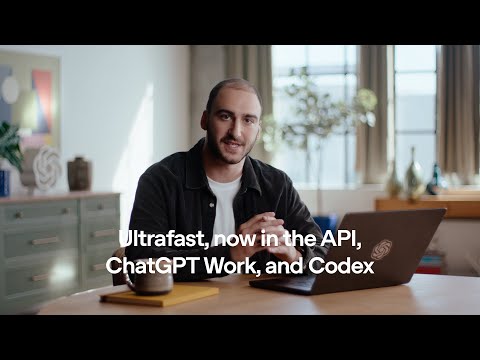
Using OpenAI Codex CLI with GPT-5-Codex
OpenAI
- Codex CLI is OpenAI's coding agent for the terminal: install it with curl -fsSL https://chatgpt.com/codex/install.sh |…
- Inside a session, commands that start with / control Codex. The ones most people use:
- Two settings decide how free Codex is. The sandbox limits what its commands can read, write and reach on the network…
- codex resume reopens a saved interactive chat from the current repository or searches across all of them, and codex…
Codex vs Claude - an Honest Comparison
Tech With Tim
Photos
Related
-
 AGENTS.mdAGENTS.md is a plain Markdown file of instructions for AI coding agents, a "README for agents", that Codex reads before doing any work. Codex loads a global ~/.codex/AGENTS.md and then every AGENTS.md from the repository root down to the working folder, closest last, up to 32 KiB; /init writes a first one. The open format is now stewarded by the Agentic AI Foundation.
-
-
 Codex ModelsAs of Nov 6, 2026 Codex recommends four models: GPT-6 Astra (most capable), GPT-6.1 Sol (the default, near Astra at lower cost), GPT-6.1 Terra (fast, for writing and computer use) and GPT-6 Luna (most efficient). They replaced a line of coding-tuned models that ran from codex-1 in 2025 through GPT-5-Codex, GPT-5.1-Codex-Max and GPT-5.3-Codex.
-
 Codex Pricing and LimitsCodex comes with every ChatGPT plan as of Nov 6, 2026: Free ($0) and Go ($8) get GPT-6 Luna in the desktop app, Plus ($20) gets about 15 to 160 GPT-6.1 Sol messages per five hours plus Codex Cloud, and Pro ($100, $200 or $500) has no five-hour limit. Credits extend any plan, and an API key bills by the token instead.
- Codex SecurityCodex Security is OpenAI's application security agent: it builds a threat model of a repository, looks for vulnerabilities, tries to confirm them in a sandbox and proposes patches. It began as Aardvark (announced Oct 30, 2025), became Codex Security in research preview on Mar 6, 2026, and now runs as a desktop plugin, a cloud plugin, a CLI and SDK, and pull request Security Review, alongside Daybreak for approved defenders.
-
 ChatGPT Atlas vs Other AI BrowsersChatGPT Atlas, OpenAI's AI browser, stopped working on Aug 9, 2026; ChatGPT's browsing now lives in the desktop app's built-in browser and the ChatGPT browser extension, and the AI browsers still sold are Perplexity's Comet (free), Gemini in Chrome, Edge with Copilot, Dia and Claude in Chrome.
-
-
 ChatGPT vs ClaudeChatGPT and Claude cost the same $20 a month at their main paid tier, but they win at different tasks. Claude leads the public leaderboards for writing and coding as of Nov 6, 2026, while ChatGPT makes images, has the more generous free plan and offers cheaper and pricier plans that Claude lacks.
See also
-
 CodexCodex is OpenAI's coding agent: it reads a codebase, edits files, runs commands and tests, reviews pull requests and works in the cloud. As of Nov 6, 2026 it lives inside the ChatGPT desktop app, in the Codex CLI, in IDE extensions, in Codex Cloud and on mobile, and every ChatGPT plan includes some of it, Free and Go too.
-
-
-
 How to Install Codex CLITo install OpenAI's Codex CLI, run curl -fsSL https://chatgpt.com/codex/install.sh | sh on macOS or Linux, or the PowerShell installer on Windows (npm install -g @openai/codex and brew install --cask codex also work), then run codex in a project folder and sign in with ChatGPT. Steps for every system, WSL, updating, removing and fixing common problems, as of Nov 6, 2026.
- Codex SDKThe Codex SDK lets programs run OpenAI's Codex agent: npm install @openai/codex-sdk for TypeScript (Node.js 18 or later) or pip install openai-codex for Python (3.10 or later). For CI there is also codex exec, the non-interactive CLI mode, and the GitHub Action openai/codex-action@v1; the App Server is the protocol for building full Codex clients.
-