
 All vikis
 007 First Light
 AI
 Aion 2
 Ananta
 ARC Raiders
 ArcheAge Chronicles
 Call of Duty: Modern Warfare 4
 Chrono Odyssey
 Civilization 3
 Civilization 4
 Claude
 Crimson Desert
 Deadlock
 Diablo 4
 Diablo 5
 Enshrouded
 Fable
 Final Fantasy Resonance
 Football Manager 27
 Forza Horizon 6
 God of War
 Grand Theft Auto 6
 Heroes of Might and Magic 3
Codex Code Review
Codex code review posts a GitHub review on your pull requests when you comment @codex review or turn on automatic reviews at chatgpt.com/settings/code-review; it flags only P0 and P1 issues and follows Code Review Rules in your AGENTS.md. GitLab merge requests are in beta, and Codex also reviews local changes with /review and works from Slack, Linear and a GitHub Action.
To get a Codex review on a GitHub pull request, connect the repository to Codex and comment @codex review on the pull request: Codex reacts with an eyes emoji and posts a normal GitHub review, flagging "only P0 and P1 issues" so the comments stay on serious risks (OpenAI docs). To review every pull request without asking, turn on Automatic review in Codex settings. GitHub review is generally available; GitLab merge request review is in beta on all ChatGPT plans (Code review, GitLab). Reviews use your plan's Codex usage, and Plus at $20 a month is the cheapest plan whose card lists automatic code review (pricing).
Code review first shipped on Aug 27, 2025. By September 2025 OpenAI said Codex "reviews the vast majority of our PRs" internally (OpenAI, Sep 15, 2025). A deeper security pass, Security Review, is covered on Codex Security.
Quick facts
| Ask for a review | Comment @codex review on a pull request |
| Automatic reviews | chatgpt.com/settings/code-review > Automatic review |
| What it flags on GitHub | P0 and P1 issues only |
| GitHub | Generally available, as of Nov 6, 2026 |
| GitLab | Beta, on all ChatGPT plans |
| Rules file | A ## Code Review Rules section in AGENTS.md |
| Cost | Codex usage, only for reviews run through GitHub (pricing) |
How do I set up Codex code review on GitHub?
- Connect your GitHub repository to Codex. (Reviews run on the older Codex Cloud (Legacy) setup; you do not need to build a cloud environment for them.)
- Go to Codex settings.
- Choose the repository and turn on Automatic review under Review code. You need push or admin permission on the repository.
- For your own pull requests, turn on Automatic review under Personal preferences and pick a Review trigger.
Source: Review GitHub pull requests with Codex and Code review, OpenAI docs, read Nov 6, 2026. Without automatic review, any pull request can still get one: comment @codex review, or add a focus such as @codex review for issues in the database migration.
Teaching Codex what to look for
Codex searches the repository for AGENTS.md files and follows any Code Review Rules in them. Add a ## Code Review Rules section to the file closest to the code the rules govern, with ### headings to group checks:
## Code Review Rules
### Experiment cohorts
- Do not filter treatment comparisons on post-exposure behavior, including conversion or retention.
  Safe path: build cohorts from assignment or exposure; report conversion as an outcome.
Put rules for the whole repository in the root AGENTS.md and service rules in a nested file; Codex applies the root rules plus the closer ones for each changed file. OpenAI's advice is to start with two or three short rules that encode what reviewers keep explaining, say what the safe path is, prefer outcomes over function names that change, and leave formatting and lint to CI. The rules guide Codex; they do not replace tests, branch protection or required approvals (Review GitHub pull requests with Codex).
GitLab merge requests
Codex reviews GitLab merge requests in beta, on all ChatGPT plans, running in Codex cloud. GitLab.com needs the standard GitLab connection in ChatGPT and a project environment with Enable Codex activity from GitLab turned on; self-managed and Dedicated GitLab need a template a workspace admin publishes, and can use a Codex service account. Then turn on Automatic review in Codex review settings for GitLab, or comment @codex review on a merge request. On GitLab, a requested review can include P0, P1 and P2 findings by default, while automatic reviews keep to P0 and P1. GitHub-style controls such as Create pull request in the desktop app are not part of the beta (Review GitLab merge requests with Codex).
Reviewing pull requests in the app
The ChatGPT desktop app has a Code Review plugin: open it from the sidebar, connect your GitHub account, and pick a pull request or paste its link. Summary shows the description, comments and checks, Changes the diff with comments beside it, and an inbox sorts reviews into Assigned to me, Assigned to my team and Authored by me. Pin a pull request to come back to it, and mark files as viewed as you go (Code review). See Codex App.
Reviewing local changes with /review
Before a pull request exists, type /review in the app, the Codex CLI or the Codex IDE Extension and choose Review against a base branch or Review uncommitted changes (staged, unstaged and untracked files). Codex reports findings by priority without changing your files; it appears only when the project is a Git repository (Code review). From a script, codex review does the same with --uncommitted, --base or --commit (Developer commands). Set review_model in config.toml to review with a different model from the one you code with.
Slack, Linear and the GitHub Action
- Slack and Microsoft Teams: mention
@ChatGPTin a channel (the bot was called@Codexbefore). With Cloud delegation on, repository work goes to a Codex Cloud task and the result comes back to the thread. An owner or admin sets it up, and channels shared with another organization through Slack Connect are not supported (Use ChatGPT in Slack). - Linear: on paid plans, assign an issue to Codex or mention
@Codexin a comment; Codex runs a cloud chat, posts progress in the issue's Activity, and links the finished work so you can open a pull request (Codex in Linear). - GitHub Action:
openai/codex-action@v1runscodex execin a workflow, for example to review each pull request and post the result as a comment. It needs an OpenAI API key stored as a GitHub secret and a Linux or macOS runner (GitHub Action); see Codex SDK.
What does Codex code review cost?
Review usage counts only when Codex runs reviews through GitHub, from an @Codex tag or automatic reviews (pricing). It comes out of the same Codex allowance as everything else on the plan; OpenAI does not publish a separate number of reviews per plan. Plus is the first plan whose card lists "automatic code review"; with an API key there are no cloud features, so no GitHub review, though the GitHub Action bills the key (pricing, GitHub Action). Details on Codex Pricing and Limits.
How good are Codex reviews?
OpenAI's own claims: Codex "flags only P0 and P1 issues" on GitHub to keep noise down (docs), its researchers say in OpenAI's code review video that they aimed for "very high precision" and fewer incorrect comments than the previous models, and internally it reviewed "the vast majority" of OpenAI's pull requests by September 2025 (OpenAI). No independent, published measurement of Codex review quality was found on Nov 6, 2026, so there is no reliable comparison yet with GitHub Copilot's or Claude's reviews (one creator's test is below); see Codex vs GitHub Copilot and Codex vs Claude Code.
What testers found
In an Aug 27, 2026 video, Tim Ruscica of Tech With Tim planted three bugs in a pull request and had every model he tried, from OpenAI's GPT-5.6 family and Anthropic's Claude 5 family, review it. All of them found the three bugs, and a fourth turned up that he had not meant to introduce; the Claude models took longer but wrote a more complete fix. He counted it among the small, well-scoped tasks where every model worked at the level of "a solid software engineer". One test, with the models of that time.
Frequently asked questions
How do I get Codex to review a pull request? Connect the GitHub repository to Codex, then comment @codex review on the pull request. Codex reacts with an eyes emoji and posts a review; turn on Automatic review in chatgpt.com/settings/code-review to skip the comment.
Does Codex code review work with GitLab? Yes, in beta. Codex reviews GitLab merge requests on all ChatGPT plans, triggered by @codex review or automatic reviews, after you connect GitLab and enable Codex activity for the project.
Is Codex code review free? Codex code review uses your ChatGPT plan's Codex usage; ChatGPT Plus ($20 a month) is the first plan that lists automatic code review, and OpenAI publishes no separate review count.
How do I customize Codex code reviews? Add a ## Code Review Rules section to the AGENTS.md file nearest the code, with a few short rules that say what to flag and what the safe path is.
Can Codex review code before I open a pull request? Yes. Type /review in the Codex app, CLI or IDE extension to review uncommitted changes or a branch against its base, or run codex review from a script.
Sources
- Review GitHub pull requests with Codex, OpenAI docs, read Nov 6, 2026
- Code review, OpenAI docs, read Nov 6, 2026
- Review GitLab merge requests with Codex, OpenAI docs, read Nov 6, 2026
- Use ChatGPT in Slack, OpenAI docs, read Nov 6, 2026
- Codex in Linear, OpenAI docs, read Nov 6, 2026
- GitHub Action, OpenAI docs, read Nov 6, 2026
- Developer commands, OpenAI docs, read Nov 6, 2026
- Pricing, OpenAI docs, read Nov 6, 2026
- Changelog, OpenAI docs, read Nov 6, 2026
- Introducing upgrades to Codex, OpenAI, Sep 15, 2025
- Automatic code reviews with OpenAI Codex, OpenAI, Nov 4, 2025 (video)
- Code review is no longer the bottleneck, OpenAI, Oct 12, 2026 (video)
- Codex vs Claude - an Honest Comparison, Tech With Tim, Aug 27, 2026 (video)
Moments
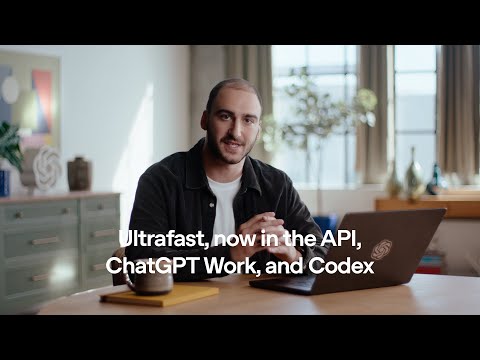
Automatic code reviews with OpenAI Codex
OpenAI
- To get a Codex review on a GitHub pull request, connect the repository to Codex and comment @codex review on the pull…
- Code review first shipped on Aug 27, 2025. By September 2025 OpenAI said Codex "reviews the vast majority of our PRs"…
- Codex searches the repository for AGENTS.md files and follows any Code Review Rules in them. Add a ## Code Review…
- Before a pull request exists, type /review in the app, the Codex CLI or the Codex IDE Extension and choose Review…
- OpenAI's own claims: Codex "flags only P0 and P1 issues" on GitHub to keep noise down (docs), its researchers say in…
Code review is no longer the bottleneck
OpenAI
Codex vs Claude - an Honest Comparison
Tech With Tim
Photos
Related
-
-
 Codex ModelsAs of Nov 6, 2026 Codex recommends four models: GPT-6 Astra (most capable), GPT-6.1 Sol (the default, near Astra at lower cost), GPT-6.1 Terra (fast, for writing and computer use) and GPT-6 Luna (most efficient). They replaced a line of coding-tuned models that ran from codex-1 in 2025 through GPT-5-Codex, GPT-5.1-Codex-Max and GPT-5.3-Codex.
-
 Codex Pricing and LimitsCodex comes with every ChatGPT plan as of Nov 6, 2026: Free ($0) and Go ($8) get GPT-6 Luna in the desktop app, Plus ($20) gets about 15 to 160 GPT-6.1 Sol messages per five hours plus Codex Cloud, and Pro ($100, $200 or $500) has no five-hour limit. Credits extend any plan, and an API key bills by the token instead.
- Codex SDKThe Codex SDK lets programs run OpenAI's Codex agent: npm install @openai/codex-sdk for TypeScript (Node.js 18 or later) or pip install openai-codex for Python (3.10 or later). For CI there is also codex exec, the non-interactive CLI mode, and the GitHub Action openai/codex-action@v1; the App Server is the protocol for building full Codex clients.
-
 ChatGPT Atlas vs Other AI BrowsersChatGPT Atlas, OpenAI's AI browser, stopped working on Aug 9, 2026; ChatGPT's browsing now lives in the desktop app's built-in browser and the ChatGPT browser extension, and the AI browsers still sold are Perplexity's Comet (free), Gemini in Chrome, Edge with Copilot, Dia and Claude in Chrome.
-
-
 ChatGPT vs ClaudeChatGPT and Claude cost the same $20 a month at their main paid tier, but they win at different tasks. Claude leads the public leaderboards for writing and coding as of Nov 6, 2026, while ChatGPT makes images, has the more generous free plan and offers cheaper and pricier plans that Claude lacks.
-
 ChatGPT vs CopilotMicrosoft Copilot is the better buy if you want Word, Excel and PowerPoint themselves, since Microsoft 365 Premium bundles the Office apps, 2 TB of storage for up to six people and Copilot for $19.99 a month. ChatGPT Plus costs $20 a month and is the stronger AI on its own: Microsoft does not say which models consumer Copilot uses, while ChatGPT's models rank on public leaderboards.
See also
-
 CodexCodex is OpenAI's coding agent: it reads a codebase, edits files, runs commands and tests, reviews pull requests and works in the cloud. As of Nov 6, 2026 it lives inside the ChatGPT desktop app, in the Codex CLI, in IDE extensions, in Codex Cloud and on mobile, and every ChatGPT plan includes some of it, Free and Go too.
- Codex SecurityCodex Security is OpenAI's application security agent: it builds a threat model of a repository, looks for vulnerabilities, tries to confirm them in a sandbox and proposes patches. It began as Aardvark (announced Oct 30, 2025), became Codex Security in research preview on Mar 6, 2026, and now runs as a desktop plugin, a cloud plugin, a CLI and SDK, and pull request Security Review, alongside Daybreak for approved defenders.
-
 AGENTS.mdAGENTS.md is a plain Markdown file of instructions for AI coding agents, a "README for agents", that Codex reads before doing any work. Codex loads a global ~/.codex/AGENTS.md and then every AGENTS.md from the repository root down to the working folder, closest last, up to 32 KiB; /init writes a first one. The open format is now stewarded by the Agentic AI Foundation.
-
-
-