
 All vikis
How to Appeal a ChatGPT Account Ban
To appeal a ChatGPT warning, suspension or account closure, use the appeal link in the email OpenAI sent you; without that email, use OpenAI's appeal form at openai.com/form/appeal, and if you lost access with no email at all, contact OpenAI Support. Most appeals are reviewed within a few business days, and an appeal does not guarantee the account comes back.
To appeal a ChatGPT account warning, suspension or closure, use the appeal link in the notification email OpenAI sent you about that decision. If you cannot reach that email, file the same request through OpenAI's appeal form; if you lost access and never got an email, contact OpenAI Support through the Help Center (OpenAI account warnings, safety suspensions, and closures, updated Nov 17, 2026). OpenAI's form says most submissions are reviewed "within a few business days, though complex cases may take longer", that "multiple submissions will not speed up review times", and that it answers by email (Submit an Appeal, read Nov 17, 2026). An appeal "does not guarantee that your account will be restored".
Quick facts
| First route | The appeal link in your warning, suspension or closure email |
| No email to hand | openai.com/form/appeal |
| Lost access, no email ever sent | OpenAI Support via the Help Center |
| Review time | "Most submissions are reviewed within a few business days", as of Nov 17, 2026 |
| Answer | By email, after review |
| Safety suspension for violence | 24 hours |
| Billing questions while suspended | support@openai.com |
Which kind of ban do you have?
OpenAI names four different account actions, and each is appealed a little differently (OpenAI Help Center). Your email or the sign-in screen says which one it is. This table is our summary of the Help Center's rules, as of Nov 17, 2026:
| What you got | What it means | How to appeal |
|---|---|---|
| Warning | Activity may conflict with the Usage Policies or Terms of Use; the account still works | Appeal link in the warning email, else the appeal form |
| Temporary safety suspension | Signed out for a set time; not, by itself, a closure | Appeal link in the suspension email only |
| Permanent closure | The account is closed for policy violations or repeated misuse | Appeal link in the closure email, else the appeal form, else Support if no email came |
| Security or verification restriction | Suspected unauthorized access, or an identity or age check not finished | Not an appeal: secure the account, or finish the verification |
If you received separate emails about a suspension and another action, use the link in the email about the decision you want reviewed.
Warnings
A warning says activity on your account "may conflict" with OpenAI's Usage Policies or Terms of Use, and does not by itself suspend or close the account. OpenAI lists three kinds of reasons: content that breaks the Usage Policies (such as harmful content, sexual content involving minors or harassment), attempts to get around safety filters and other safeguards, and misuse of the API or platform, such as spam, phishing or misused API keys. Continued violations after a warning can lead to further restrictions or permanent closure, and some warnings give a time limit to fix the issue (OpenAI Help Center).
Temporary safety suspensions
A suspension signs you out and blocks ChatGPT for a period, including every Business, Enterprise or Edu workspace the account belongs to. The one for serious concerns about violence or harm to others lasts 24 hours: ChatGPT first warns, then ends conversations, and suspends only if further conversations raise concerns after repeated endings. The conversation behind it disappears from your history and search. It applies to personal accounts in Chat mode, not to Business, Enterprise, Edu or Healthcare workspaces, Work mode, Codex or Voice Mode (Why ChatGPT ended your conversation or temporarily suspended your account, updated Nov 13, 2026). Child safety suspensions work the same way, and repeated violations can bring longer suspensions or closure (CSAM warnings and account suspensions in ChatGPT).
To appeal a temporary suspension, use the link in the suspension email; OpenAI gives no form route for it. Submitting an appeal "does not automatically restore access" (CSAM warnings and account suspensions in ChatGPT). For refunds or cancellation while suspended, write to support@openai.com. A suspension can end in a permanent closure if a separate review finds a violation, and then access does not return when the time runs out.
Permanent closures
OpenAI's Terms of Use let it suspend or close an account for a breach of the Terms or Usage Policies, to comply with the law, or where use "could cause risk or harm", and they state the right to appeal: "If you believe we have suspended or terminated your account in error, you can file an appeal with us" (Terms of Use, read Nov 17, 2026). The Help Center's examples of closure reasons are child exploitation or abuse, facilitating violence, harassment, fraud, circumventing security controls, sharing accounts or API keys against the terms, and disrupting OpenAI's services. Discussing a sensitive topic "does not, by itself" mean a closure.
Facilitating violence is the reason that reached the news. CityNews reported that OpenAI flagged troubling content in the Tumbler Ridge shooter's ChatGPT account months before the attack and banned the account in June 2025 for violent activity, but did not tell the police, because its human reviewers judged that it did not meet the threshold for reporting to law enforcement.
A closure appeal is usually decided once. Foreniux, whose account was closed in fall 2026 with an email that named no conversation, appealed and was told OpenAI was "upholding our decision" and would "no longer consider additional requests to appeal this case"; a second letter got a one-line reply that the decision stood.
What to put in the appeal
For a warning or closure appeal, OpenAI asks for whatever applies (OpenAI Help Center):
- Your user ID and organization ID, if you have them.
- What happened on the account and why you believe the decision was a mistake.
- The dates of any access you suspect was not yours.
- What you have done to secure the account or fix the issue.
If unknown charges are part of it, add each charge's date and amount, the card's last 4 digits and brand, the issuing bank and the billing ZIP or postal code. Never send the full card number or security code.
We think the strongest appeal is short and specific: name the decision you are appealing, the date of the email, and the one fact OpenAI's review could not have known (a shared device, a stolen API key, a misread request). Our reasoning: OpenAI's own checklist asks for those facts, and its form warns that sending more than once does not help.
When it is not a ban
- Someone else used your account. OpenAI may restrict an account that looks taken over. Change your password, rotate any exposed API keys and contact Support; see Account Security for MFA, active sessions and security history.
- Age or identity verification. An account can be deactivated until a required check is done. If you missed an age-verification deadline, verify through the reactivation link, or in Italy sign in and select Verify your age; processing "may take a few days" (My account was deactivated because I didn't verify my age in time, updated Oct 27, 2026). Being placed in the teen experience does not deactivate an account.
- A payment failed. The Terms let OpenAI downgrade or suspend access until a payment goes through (Terms of Use). See How to Cancel ChatGPT Plus for billing.
- ChatGPT is just down. Errors and outages are covered on ChatGPT Not Working.
The policy changes on Nov 20, 2026
OpenAI's Usage Policies change on Nov 20, 2026: the Oct 21, 2026 update clarifies the ban on using OpenAI models or their outputs to train rival models, protections for children and teens, and rules for high-stakes uses, and requires approval for national security and law enforcement uses and for services that resell model access (Usage Policies, changelog). Anyone using ChatGPT or the OpenAI API to build training data for another model should read it before then.
Sources
- OpenAI account warnings, safety suspensions, and closures, OpenAI Help Center, updated and read Nov 17, 2026
- Submit an Appeal or Report Unauthorized Activity, OpenAI, read Nov 17, 2026
- Why ChatGPT ended your conversation or temporarily suspended your account over concerns about violence, OpenAI Help Center, read Nov 17, 2026
- Child sexual abuse material (CSAM) warnings and account suspensions in ChatGPT, OpenAI Help Center, read Nov 17, 2026
- My account was deactivated because I didn't verify my age in time, OpenAI Help Center, read Nov 17, 2026
- Terms of Use, OpenAI, "Termination and suspension", read Nov 17, 2026
- Usage Policies, OpenAI, changelog entry of Oct 21, 2026, read Nov 17, 2026
- Tumbler Ridge shooter's ChatGPT account banned in 2025 for references to violence, CityNews, Feb 21, 2026 (video)
- I Got Banned From ChatGPT and Lost Everything, Foreniux, Oct 27, 2026 (video)
Moments
Tumbler Ridge shooter's ChatGPT account banned in 2025 for references to violence
CityNews
I Got Banned From ChatGPT and Lost Everything
Foreniux
Photos
Related
-
-
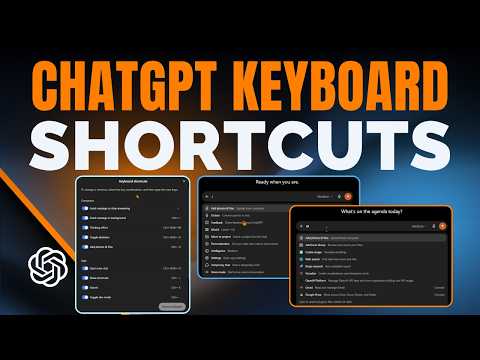 ChatGPT Keyboard ShortcutsIn the ChatGPT desktop app, Ctrl+/ (Cmd+/ on a Mac) shows every keyboard shortcut; Ctrl+N starts a new chat, Ctrl+Shift+N a temporary chat, and Ctrl+K opens the command menu. On chatgpt.com, Ctrl+K or Cmd+K opens Search. This page lists only the shortcuts OpenAI documents, as of Nov 6, 2026.
-
-
 ChatGPT TipsChatGPT tips and lesser-known features as of Nov 6, 2026, each in a sentence or two with a link to its full page: long-press send to pick a model once, the Think button, locked chats, temporary chats, @ mentions, Search across chats, the Library, scheduled tasks and more.
-
 How to Claim ChatGPT API CreditsTo claim the API credits included with ChatGPT Pro or Business, open Settings > Billing in ChatGPT, find the API credits benefit, pick the API organization you own and confirm. Pro gets $100, $200 or $500 a month and Business $20 or $100 per paid seat up to $500; Plus gets none. The steps, the conditions and what the credits buy, read Nov 13, 2026.
-
 How to Claim Your Business in ChatGPTTo claim your business in ChatGPT, open Business Hub in the sidebar on the web, find the listing and verify by business phone, business email, a DNS record or Shopify; OpenAI reviews the claim, and a second check through Persona unlocks editing, insights and the blue check. Read at OpenAI's Help Center on Nov 13, 2026, three days after Business Hub opened.
-
 How to Delete ChatGPT HistoryTo delete one ChatGPT chat, open its ••• menu and select Delete; to delete them all, go to Settings > Data controls > Delete all chats. Memories, files and your whole account are deleted separately, and OpenAI removes deleted chats from its systems within 30 days.
-
 How to Export ChatGPT DataTo download your ChatGPT conversations, go to Settings > Data controls > Export data > Export > Confirm export; OpenAI emails a ZIP file of your chat history within up to 7 days, and the download link expires 24 hours later. Self-service export works on Free, Go, Plus and Pro, not on Business or Enterprise.
See also
-
-
 CodexCodex is OpenAI's coding agent: it reads a codebase, edits files, runs commands and tests, reviews pull requests and works in the cloud. As of Nov 6, 2026 it lives inside the ChatGPT desktop app, in the Codex CLI, in IDE extensions, in Codex Cloud and on mobile, and every ChatGPT plan includes some of it, Free and Go too.
-
-
 Account SecuritySecure a ChatGPT account in Settings > Security: turn on multi-factor authentication or passkeys, review active sessions and security history, and for the strongest protection enroll in Advanced Account Security, which requires passkeys or security keys plus recovery keys.
-
 How to Cancel ChatGPT PlusTo cancel ChatGPT Plus bought on chatgpt.com, go to Settings > Billing and select Cancel under Cancel plan; if you subscribed in the iPhone app cancel through Apple, and on Android through Google Play. You keep Plus until the end of the period you paid for, and refunds are limited.
-
 ChatGPT Not WorkingIf ChatGPT is not working, first check status.openai.com to see whether OpenAI reports an outage; if it shows "fully operational", reload, start a new chat, turn off your VPN and browser extensions, or try a private window. This page lists ChatGPT's common error messages and OpenAI's fixes, as of Nov 6, 2026.