
 All vikis
 007 First Light
 AI
 Aion 2
 Ananta
 ARC Raiders
 ArcheAge Chronicles
 Call of Duty: Modern Warfare 4
 Chrono Odyssey
 Civilization 3
 Civilization 4
 Claude
 Crimson Desert
 Deadlock
 Diablo 4
 Diablo 5
 Enshrouded
 Fable
 Final Fantasy Resonance
 Football Manager 27
 Forza Horizon 6
 God of War
 Grand Theft Auto 6
 Heroes of Might and Magic 3
Codex Cloud
Codex Cloud runs OpenAI's coding agent on OpenAI's servers: you connect GitHub repositories, publish a cloud environment, and start tasks from ChatGPT on the web, the desktop app or a phone, each in its own workspace that keeps working while your computer sleeps. It needs ChatGPT Plus or higher; Free and Go do not include it.
Codex Cloud runs Codex tasks on OpenAI's computers instead of yours: open ChatGPT on the web or in the desktop app, choose Work in > Cloud, pick or create an environment from your GitHub repositories, and describe the task; each task gets its own workspace and "can keep working while your computer is asleep" (Codex Cloud docs). It comes with ChatGPT Plus, every Pro tier, Business, Enterprise, Healthcare and Education accounts, and is not included with Free or Go (OpenAI Help Center). When a task finishes you review the diff and test results, ask for changes, then commit or open a pull request.
Codex Cloud is what OpenAI first launched as "Codex" on May 16, 2025, a research preview of "a cloud-based software engineering agent that can work on many tasks in parallel" (OpenAI). Its older setup, now called Codex Cloud (Legacy), still runs Codex Code Review and the Linear and GitHub integrations, and OpenAI plans to retire it (Cloud environments).
Quick facts
| Plans | Plus, all Pro tiers, Business, Enterprise, Healthcare, Education; not Free or Go, as of Nov 6, 2026 |
| Sign-in | ChatGPT account only; an API key does not work |
| Where to start tasks | ChatGPT web, the desktop app, the ChatGPT mobile app, the Codex CLI (codex cloud), Slack and Teams |
| Code hosts | GitHub; GitLab only in beta, and OpenAI's pages disagree on it (see below) |
| Task machine, Plus | 2 vCPUs, 8 GiB memory, 8 GiB disk |
| Task machine, Pro, Business, Enterprise | 4 vCPUs, 16 GiB memory, 32 GiB disk |
| Saved task state | Recoverable for up to seven days after you last use the task |
| Usage | Counts toward your plan's Codex limits, since Oct 20, 2025 |
How do I start a Codex Cloud task?
- Open ChatGPT on the web, on mobile or in the desktop app, and sign in.
- On the web or in the desktop app choose Work in > Cloud and open Select environment (on mobile, open Codex). Pick an existing environment, or select Create environment.
- For a new environment, choose your GitHub repositories and select Get started; connect GitHub if asked. Codex inspects the repositories, installs dependencies and tools, and tests the workflow, asking you for anything it cannot work out.
- Review the setup and the test results, save, and select Publish. Wait for "Environment published".
- Select Start a new task, describe the work and send it. Review the changes and test results, ask for follow-ups, and commit or open a pull request.
Source: Codex Cloud, OpenAI docs, read Nov 6, 2026. New environments can be created only on the web or in the desktop app, not on a phone (Cloud environments).
What is a cloud environment?
An environment is the reusable setup tasks start from: the repositories, the installed dependencies and tools, and the access settings. Every new task starts from the published environment's prepared files, while an existing task keeps its own files, uncommitted changes included. The repositories refresh in the background without rerunning installation. To change the setup, open Settings > Codex Cloud > Environments, choose Edit from the environment's menu, describe the change, let Codex test it, then Republish; only new tasks get the update (Cloud environments). OpenAI's advice: commit important work, because saved state does not replace source control. Reusable cloud environments were among the DevDay 2026 announcements, in the week of Sep 28 to Oct 2, 2026 (What's new).
Internet access, variables and secrets
A task's access to the outside world is set per environment. Enable all public internet access opens everything; turn it off to allow only package managers or a list of Additional allowed domains. A VPN (through Tailscale) can reach private services, separately from the public internet setting (Cloud environments).
Values come two ways. An environment variable is handed straight to programs. A network secret never reaches the task: programs see a placeholder, and a proxy swaps in the real credential only for HTTPS requests to the domains you allowed. Each person can keep their own values in a Personal vault, so a shared environment can ask everyone for their own token (Cloud environments). Environments can also reach AWS, Google Cloud and Azure resources with OIDC instead of stored keys.
Working from your phone
On the ChatGPT app for iOS and Android, open Codex and choose an environment to start a cloud task, or reopen an existing task to continue it; the same task picks up across devices. Cloud tasks on mobile are separate from Codex Remote, which drives Codex on your own computer from the phone (Cloud environments, Remote connections); see Codex App. Codex first reached the iOS app on May 19, 2025, to start tasks, view diffs and push pull requests.
From the CLI, the IDE, Slack and Linear
- CLI:
codex cloudopens a picker of cloud chats,codex cloud execsubmits a task, andcodex cloud listlists recent ones (--jsonfor scripts); results can be applied to your local repository (Developer commands). - IDE: the Codex IDE Extension can hand a longer task to the cloud and keep the chat for when you return (Codex IDE extension).
- Slack and Microsoft Teams: in a workspace with Cloud delegation turned on,
@ChatGPTin a channel can send repository work to a Codex Cloud task and post the result in the thread. A workspace owner or admin sets it up, and Slack Connect channels shared with another organization are not supported (Use ChatGPT in Slack). - Linear: on paid plans, assign a Linear issue to Codex or mention
@Codexin a comment, and it creates a cloud chat, posts progress to the issue and finishes with a summary and a link to open a pull request (Codex in Linear).
Limits and what Codex Cloud cannot do
As of Nov 6, 2026 OpenAI's cloud environments page lists computer and browser use, GitLab, and self-hosted GitHub Enterprise Server as not yet supported and on its roadmap (Cloud environments). OpenAI's own pages disagree on GitLab, though: the changelog announced GitLab support in Codex cloud as a beta on Aug 19, 2026, and the GitLab code review beta, open to all ChatGPT plans, runs in Codex cloud (GitLab). Treat GitLab in Codex Cloud as a beta that may not cover ordinary tasks; see Codex Code Review. Skills stored in the repository work in cloud tasks, but personal skills on your computer are not synced. Cloud tasks count toward your plan's Codex usage and "may use more" than local messages (pricing); the ranges per plan are on Codex Pricing and Limits. Business plans get "larger virtual machines to run cloud chats faster", and Enterprise can ask OpenAI for larger or custom machines (pricing, Cloud environments). Guest, K-12 and Enterprise view-only seats cannot create cloud environments (OpenAI Help Center).
Frequently asked questions
Is Codex Cloud free? No. Codex Cloud is included with ChatGPT Plus ($20 a month), every Pro tier, Business, Enterprise, Healthcare and Education plans, but not with Free or Go, as of Nov 6, 2026.
Does Codex Cloud keep working when my computer is off? Yes. Each Codex Cloud task runs in its own workspace on OpenAI's servers and keeps working while your computer sleeps; you can check on it from the web or the ChatGPT mobile app.
Can I use Codex Cloud with an API key? No. Codex Cloud requires signing in with a ChatGPT account; an API key works only for local Codex in the CLI, IDE extension and SDK.
Does Codex Cloud work with GitLab? Only in beta, as of Nov 6, 2026. OpenAI announced GitLab support in Codex cloud as a beta on Aug 19, 2026 and runs GitLab merge request review there, but its cloud environments page still lists GitLab as not yet supported; GitHub is the fully supported host.
What is Codex Cloud (Legacy)? Codex Cloud (Legacy) is the older Codex Cloud setup that still powers Codex code review and the Linear and GitHub integrations. OpenAI says it plans to deprecate it.
Sources
- Codex Cloud, OpenAI docs, read Nov 6, 2026
- Cloud environments, OpenAI docs, read Nov 6, 2026
- Codex Cloud (Legacy), OpenAI docs, read Nov 6, 2026
- Using Codex with your ChatGPT plan, OpenAI Help Center, read Nov 6, 2026
- Authentication, OpenAI docs, read Nov 6, 2026
- Pricing, OpenAI docs, read Nov 6, 2026
- Remote connections, OpenAI docs, read Nov 6, 2026
- Developer commands, OpenAI docs, read Nov 6, 2026
- Codex IDE extension, OpenAI docs, read Nov 6, 2026
- Use ChatGPT in Slack, OpenAI docs, read Nov 6, 2026
- Review GitLab merge requests with Codex, OpenAI docs, read Nov 6, 2026
- Codex in Linear, OpenAI docs, read Nov 6, 2026
- What's new, OpenAI docs, read Nov 6, 2026
- Changelog, OpenAI docs, read Nov 6, 2026
- Introducing Codex, OpenAI, May 16, 2025
- Codex is now generally available, OpenAI, Oct 6, 2025
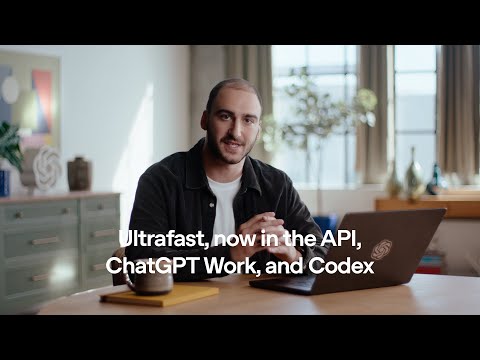
- Meet the all new Codex Cloud, OpenAI, Sep 29, 2026 (video)
- A research preview of Codex in ChatGPT, OpenAI, May 16, 2025 (video)
Moments
Meet the all new Codex Cloud
OpenAI
- Codex Cloud runs Codex tasks on OpenAI's computers instead of yours: open ChatGPT on the web or in the desktop app…
- An environment is the reusable setup tasks start from: the repositories, the installed dependencies and tools, and the…
- Values come two ways. An environment variable is handed straight to programs. A network secret never reaches the task…
- On the ChatGPT app for iOS and Android, open Codex and choose an environment to start a cloud task, or reopen an…
A research preview of Codex in ChatGPT
OpenAI
Photos
Related
-
 AGENTS.mdAGENTS.md is a plain Markdown file of instructions for AI coding agents, a "README for agents", that Codex reads before doing any work. Codex loads a global ~/.codex/AGENTS.md and then every AGENTS.md from the repository root down to the working folder, closest last, up to 32 KiB; /init writes a first one. The open format is now stewarded by the Agentic AI Foundation.
-
 Codex ModelsAs of Nov 6, 2026 Codex recommends four models: GPT-6 Astra (most capable), GPT-6.1 Sol (the default, near Astra at lower cost), GPT-6.1 Terra (fast, for writing and computer use) and GPT-6 Luna (most efficient). They replaced a line of coding-tuned models that ran from codex-1 in 2025 through GPT-5-Codex, GPT-5.1-Codex-Max and GPT-5.3-Codex.
- Codex SDKThe Codex SDK lets programs run OpenAI's Codex agent: npm install @openai/codex-sdk for TypeScript (Node.js 18 or later) or pip install openai-codex for Python (3.10 or later). For CI there is also codex exec, the non-interactive CLI mode, and the GitHub Action openai/codex-action@v1; the App Server is the protocol for building full Codex clients.
- Codex SecurityCodex Security is OpenAI's application security agent: it builds a threat model of a repository, looks for vulnerabilities, tries to confirm them in a sandbox and proposes patches. It began as Aardvark (announced Oct 30, 2025), became Codex Security in research preview on Mar 6, 2026, and now runs as a desktop plugin, a cloud plugin, a CLI and SDK, and pull request Security Review, alongside Daybreak for approved defenders.
-
 ChatGPT Atlas vs Other AI BrowsersChatGPT Atlas, OpenAI's AI browser, stopped working on Aug 9, 2026; ChatGPT's browsing now lives in the desktop app's built-in browser and the ChatGPT browser extension, and the AI browsers still sold are Perplexity's Comet (free), Gemini in Chrome, Edge with Copilot, Dia and Claude in Chrome.
-
-
 ChatGPT vs ClaudeChatGPT and Claude cost the same $20 a month at their main paid tier, but they win at different tasks. Claude leads the public leaderboards for writing and coding as of Nov 6, 2026, while ChatGPT makes images, has the more generous free plan and offers cheaper and pricier plans that Claude lacks.
-
 ChatGPT vs CopilotMicrosoft Copilot is the better buy if you want Word, Excel and PowerPoint themselves, since Microsoft 365 Premium bundles the Office apps, 2 TB of storage for up to six people and Copilot for $19.99 a month. ChatGPT Plus costs $20 a month and is the stronger AI on its own: Microsoft does not say which models consumer Copilot uses, while ChatGPT's models rank on public leaderboards.
See also
-
 CodexCodex is OpenAI's coding agent: it reads a codebase, edits files, runs commands and tests, reviews pull requests and works in the cloud. As of Nov 6, 2026 it lives inside the ChatGPT desktop app, in the Codex CLI, in IDE extensions, in Codex Cloud and on mobile, and every ChatGPT plan includes some of it, Free and Go too.
-
-
-
-
-
 Codex Pricing and LimitsCodex comes with every ChatGPT plan as of Nov 6, 2026: Free ($0) and Go ($8) get GPT-6 Luna in the desktop app, Plus ($20) gets about 15 to 160 GPT-6.1 Sol messages per five hours plus Codex Cloud, and Pro ($100, $200 or $500) has no five-hour limit. Credits extend any plan, and an API key bills by the token instead.