
 All vikis
 007 First Light
 AI
 Aion 2
 Ananta
 ARC Raiders
 ArcheAge Chronicles
 Call of Duty: Modern Warfare 4
 Chrono Odyssey
 Civilization 3
 Civilization 4
 Claude
 Crimson Desert
 Deadlock
 Diablo 4
 Diablo 5
 Enshrouded
 Fable
 Final Fantasy Resonance
 Football Manager 27
 Forza Horizon 6
 God of War
 Grand Theft Auto 6
 Heroes of Might and Magic 3
ChatGPT Credits
ChatGPT credits buy more Codex, ChatGPT Work and Office extension use after a plan's included usage runs out; as of Nov 6, 2026 they are charged per million tokens by model, last 12 months, and are separate from the API credits that come with Pro and Business.
ChatGPT credits are what you spend on Codex, ChatGPT Work and ChatGPT for Word, Excel and PowerPoint once your plan's included usage runs out. As of Nov 6, 2026, they are charged per million tokens at a rate set for each model (GPT-6 Astra costs 250 credits per million input tokens, GPT-6 Luna 2.5), stay valid for 12 months from purchase and are not refundable. Plus and Pro can buy them; Business, Edu and Enterprise workspaces buy them for their members. They are not the same as the monthly API credits that come with Pro and Business, which pay for the OpenAI API and cannot raise ChatGPT limits.
Quick facts
| What they extend | Codex, ChatGPT Work, Word, Excel, PowerPoint (help) |
| Who can buy | Plus and Pro; Free and Go "a limited group"; Business, Edu, Enterprise as workspace credits |
| Validity | 12 months from purchase |
| Refunds | Non-refundable, unless law, contract or an approved exception says otherwise |
| Typical task | "about 2 to 15 credits" for GPT-5.6 Sol |
| Where to buy | Settings > Usage, or Usage & Billing in Codex |
| Price per credit | Not stated by OpenAI |
| As of | Nov 6, 2026 |
How do ChatGPT credits work?
Your plan's included usage is spent first; credits are spent after it runs out (Using credits). On Plus and Pro, Codex, ChatGPT Work and the Word, Excel and PowerPoint extensions share one agentic allowance and one credit balance. On personal plans OpenAI names only those tools; chat, voice, images and deep research keep their own limits (see ChatGPT Usage Limits).
To buy credits or check your balance, open Settings > Usage in ChatGPT, or Usage & Billing in Codex (About ChatGPT Pro tiers). Since Mar 10, 2026 eligible Plus and Pro users can turn on auto top-up, which buys more credits when the balance runs low (release notes).
Credit rates per model
Credits per million tokens at Standard speed in Codex and ChatGPT Work, as of Nov 6, 2026:
| Model | Input | Cached input | Output |
|---|---|---|---|
| GPT-6 Astra | 250 | 25 | 1,250 |
| GPT-6.1 Sol | 50 | 2.5 | 250 |
| GPT-6.1 Terra | 25 | 1.25 | 125 |
| GPT-6 Sol | 50 | 5 | 250 |
| GPT-6 Luna | 2.5 | 0.25 | 12.5 |
| GPT-5.6 Sol | 100 | 10 | 500 |
| GPT-5.6 Terra | 50 | 5 | 300 |
| GPT-5.6 Luna | 5 | 0.5 | 30 |
| GPT-Rosalind-Research | 125 | 12.5 | 625 |
| Daybreak Blue | 100 | 10 | 500 |
| Daybreak Red | 312.5 | 31.25 | 1,875 |
| GPT-Image-2 (image tokens) | 200 | 50 | 750 |
| GPT-Image-2 (text tokens) | 125 | 31.25 | 250 |
Source: learn.chatgpt.com pricing, read Nov 6, 2026. Daybreak models need approval for Trusted Access for Cyber; GPT-5.6 Sol is on promotional pricing at least through Nov 21, 2026.
In Word, Excel and PowerPoint the same four rates apply to GPT-5.6 Luna, Terra, Sol and GPT-6 Astra. "A typical GPT-5.6 Sol task uses about 2 to 15 credits" in Codex (learn.chatgpt.com), a typical Excel message 5 to 20 credits, and a PowerPoint message 10 to 50 (Using credits).
Speed costs more
Faster modes cost more of both your allowance and your credits (learn.chatgpt.com, About ChatGPT Pro tiers):
| Mode | Included usage | Purchased credits |
|---|---|---|
| Standard | 1x | 1x |
| Fast | 2.5x | 2x |
| Ultrafast (GPT-6 Astra, GPT-6.1 Sol; Pro 500 only) | 8x | 6x |
Buying credits on Pro 100 or Pro 200 does not unlock Ultrafast. Voice in the desktop app's Work and Codex draws on the Codex budget at $0.05 a minute.
How much does a credit cost?
OpenAI's credits article and pricing docs give no dollar price per credit as of Nov 6, 2026; the price shows when you buy. One offer implies a figure: Codex for Students, from Mar 20, 2026, gave "$100 in ChatGPT credits, or 2,500 credits", which works out to 4 cents a credit. At that rate a typical 2 to 15 credit GPT-5.6 Sol task would cost 8 to 60 cents, but that is arithmetic on one promotion, not a published price.
Credits on Business, Edu and Enterprise
Workspaces on credit pricing buy workspace credits, and their credits also pay for things that personal plans get in fixed amounts (rate card, read Nov 6, 2026):
| Use | Credits |
|---|---|
| Instant message | Unlimited, no credits |
| GPT-6 (Sol) or GPT-5.6 Sol message | 10 |
| GPT-6 Pro or GPT-5.6 Sol Pro message | 50 |
| GPT-5.5 Rosalind Research and Discovery message | 20 |
| Agent mode message | 30 |
| Deep research task | 50 |
| Image generation | 5 |
| Voice | 1.25 a minute |
Work and Codex use the same per-token rates as the table above. Enterprise agreements can be billed in US dollars by token instead (What is ChatGPT Enterprise?), with voice at $0.05 a minute. See ChatGPT Business and ChatGPT Enterprise.
API credits with Pro and Business
API credits are a different benefit: dollars to spend on the OpenAI API, given each month to eligible subscriptions since Oct 28, 2026 (API credits benefit):
| Plan | API credits per month |
|---|---|
| Pro 100 | $100 |
| Pro 200 | $200 |
| Pro 500 | $500 |
| Business Standard seat | $20 per paid seat |
| Business Premium seat | $100 per paid seat |
| Business workspace cap | $500 a month ($6,000 a year when billed annually) |
Source: API credits benefit, read Nov 6, 2026.
The rules: the subscription must have been active for at least 7 days; Plus, free trials, Enterprise, Edu and legacy Codex seats are not eligible; the first grant is prorated; credits go to one linked API organization; unused credits expire at the end of each billing cycle; and they "do not raise ChatGPT or Codex limits", nor pay for Codex used through an API key. A full refund removes unused credits tied to that charge. OpenAI API Pricing lists what the API costs.
Using your plan in other apps
Since Sep 29, 2026, Go, Plus and Pro users can let participating apps use their ChatGPT plan; those requests "count toward the ChatGPT Work and Codex usage included in your plan", and you can cap each app at Settings > Usage > App limits > Manage limits (Use your ChatGPT plan in other apps). See ChatGPT in Other Apps.
Frequently asked questions
What are ChatGPT credits? Credits pay for Codex, ChatGPT Work and ChatGPT for Word, Excel and PowerPoint after your plan's included usage runs out. They are charged per million tokens by model and last 12 months from purchase.
How much is one ChatGPT credit? OpenAI does not publish a price per credit as of Nov 6, 2026. The Codex for Students offer of $100 for 2,500 credits implies 4 cents a credit.
How do I buy more Codex usage? Buy credits in Settings > Usage in ChatGPT, or in Usage & Billing in Codex, on Plus or Pro; turn on auto top-up to refill automatically. Or move to a higher plan.
Do ChatGPT credits expire? Yes, 12 months after purchase. API credits included with Pro and Business expire much sooner, at the end of each billing cycle.
Are ChatGPT credits the same as API credits? No. ChatGPT credits extend Codex and Work inside ChatGPT; API credits, included with Pro and paid Business seats, pay only for the OpenAI API and do not raise ChatGPT or Codex limits.
Can I get a refund for ChatGPT credits? Generally no: credits are non-refundable unless required by law or contract, or an approved exception applies.
Sources
- Using credits for flexible usage in ChatGPT personal plans, OpenAI Help Center, read Nov 6, 2026
- Pricing, OpenAI docs, read Nov 6, 2026
- About ChatGPT Pro tiers, OpenAI Help Center, read Nov 6, 2026
- ChatGPT rate card (Business, Enterprise/Edu credit-based pricing), OpenAI Help Center, read Nov 6, 2026
- API credits benefit for eligible ChatGPT subscriptions, OpenAI Help Center, read Nov 6, 2026
- What is ChatGPT Enterprise?, OpenAI Help Center, read Nov 6, 2026
- ChatGPT Voice, OpenAI Help Center, read Nov 6, 2026
- Use your ChatGPT plan in other apps, OpenAI Help Center, read Nov 6, 2026
- ChatGPT release notes, OpenAI Help Center, read Nov 6, 2026
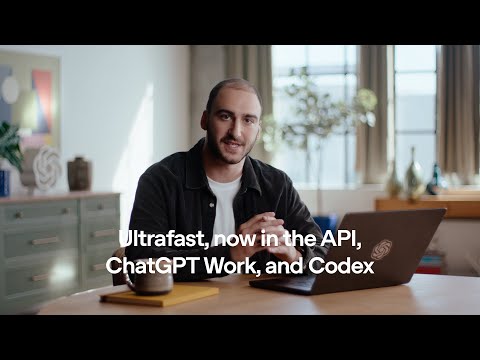
- API credits, now in ChatGPT Pro and Business plans, OpenAI, Oct 28, 2026 (video)
Moments
API credits, now in ChatGPT Pro and Business plans
OpenAI
Related
- Ads in ChatGPTChatGPT shows ads to logged-in adults on the Free and Go plans in 89 countries as of Nov 6, 2026, below answers and labeled as sponsored; Plus, Pro, Business, Enterprise and Edu have no ads, and Free users can turn ads off in exchange for lower limits.
- ChatGPT for EducationChatGPT's education offers as of Nov 6, 2026 are ChatGPT Edu for universities (priced by OpenAI's sales team), ChatGPT for Teachers free for verified US K-12 educators through June 2028, Codex for Students credits, and free plans for academic researchers; there is no ongoing student discount on Plus.
- ChatGPT GoChatGPT Go is OpenAI's low-cost plan, $8 a month in the US as of Nov 6, 2026 (₹399 in India), with more uploads, images, voice and memory than Free but the same Luna models and ads.
- ChatGPT Go vs PlusChatGPT Go costs $8 a month and Plus $20 in the US as of Nov 6, 2026; Go raises Free's limits but keeps the Luna models and ads, while Plus adds GPT-6 Sol reasoning, full ChatGPT Work and Codex, and no ads.
-
 ChatGPT Plans and PricingChatGPT costs nothing on Free, $8 a month on Go, $20 on Plus and $100, $200 or $500 on Pro in the US as of Nov 6, 2026, with Business at $20 to $25 per user a month and Enterprise and Edu priced by OpenAI's sales team.
-
 ChatGPT PlusChatGPT Plus costs $20 a month in the US as of Nov 6, 2026 and adds GPT-6 Sol reasoning in Chat, limited GPT-6 Astra in Work and Codex, larger limits, ChatGPT Work on every device and no ads.
-
 ChatGPT Plus vs ProChatGPT Plus is $20 a month and Pro starts at $100 as of Nov 6, 2026; Pro adds GPT-6 Pro reasoning, Dots, Space, no five-hour limit in Work and Codex and API credits, which matter mainly to heavy Codex and Work users.
-
 ChatGPT ProChatGPT Pro comes in three tiers as of Nov 6, 2026, Pro 100, Pro 200 and Pro 500 at $100, $200 and $500 a month, each with GPT-6 Pro reasoning, Dots, Space, no five-hour limit in Work and Codex, and API credits equal to the price.
See also
-
 CodexCodex is OpenAI's coding agent: it reads a codebase, edits files, runs commands and tests, reviews pull requests and works in the cloud. As of Nov 6, 2026 it lives inside the ChatGPT desktop app, in the Codex CLI, in IDE extensions, in Codex Cloud and on mobile, and every ChatGPT plan includes some of it, Free and Go too.
-
-
OpenAI APIThe OpenAI API lets programs call OpenAI's models (GPT-6 Astra, GPT-6.1 Sol, GPT-6.1 Terra, GPT-6 Luna, image, voice and transcription models) with an API key, billed per token. New projects use the Responses API through the official SDKs, with documentation at developers.openai.com.
-
ChatGPT Usage LimitsEvery ChatGPT plan has unlimited everyday text chats as of Nov 6, 2026, but tools have limits: Work and Codex messages per five hours, voice hours per day, agent messages per month, file uploads, storage and context windows, which OpenAI publishes only in part.
-
ChatGPT BusinessChatGPT Business, called ChatGPT Team until Aug 29, 2025, costs $25 per user a month or $20 billed annually for a Standard seat as of Nov 6, 2026, with a $125 or $100 Premium seat, a two-seat minimum and no training on workspace data.
- ChatGPT EnterpriseChatGPT Enterprise is OpenAI's plan for large organizations, sold through its sales team with no public price as of Nov 6, 2026, adding SCIM, enterprise key management, data residency, the Compliance API and flexible credit pricing to everything in Business.